Gate

Gate runs your housing society

Visitors wait at the gate until the home says yes. Dues, accounts, helpdesk and amenities live in the same app, for residents, guards and the office.

By TRUEBUILD Realty

How a visit works

Every visit follows the same steps, and the society keeps a record of all of them.

At the gate

Visitor logged, with a photo if neededGuard
Alert sent to the homePhone
Or an entry code let straight in6 digits

At the home

Allow, don't allow, or leave at gateResident

On the way out

Marked as leftGuard
Stayed too long? The home is toldAlert
Who came, for whom and whenOn record

One app, three screens

Everyone signs in to the same app and sees only what their role needs.
Residents

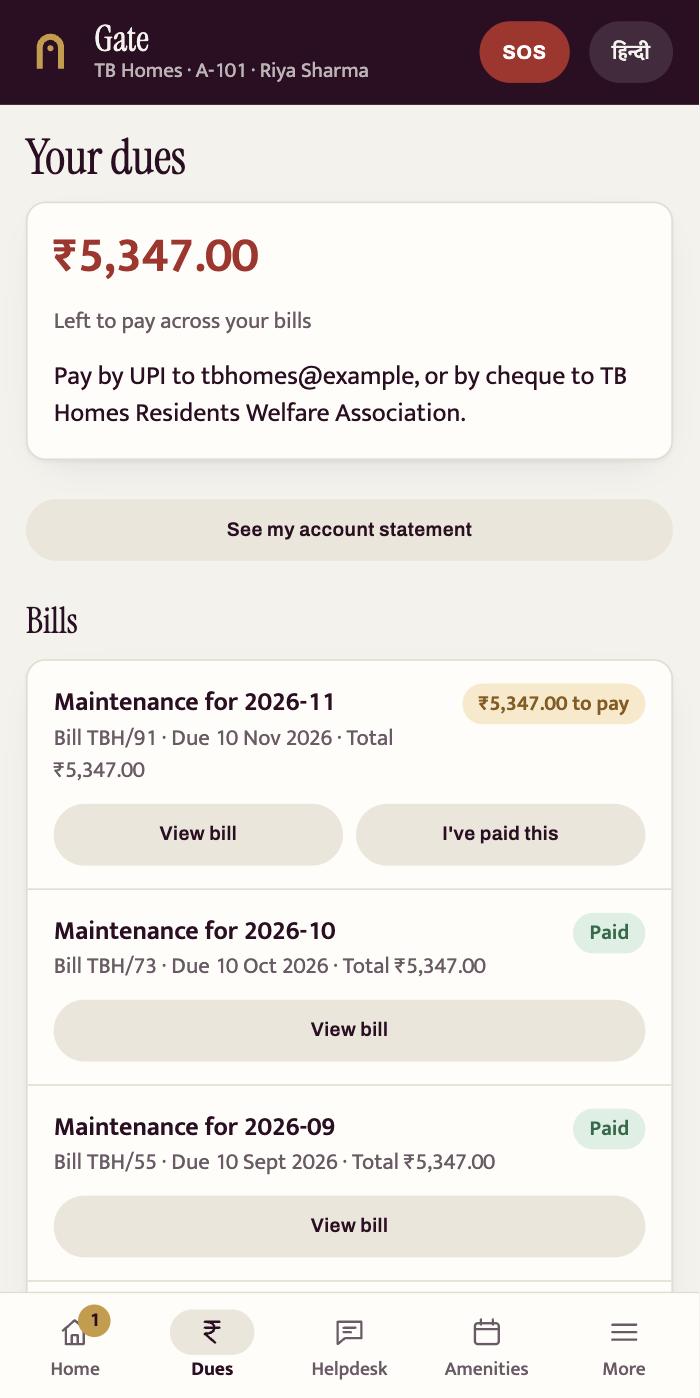
A resident's dues in Gate, with bills marked paid and one to pay
  • Answer the gate from anywhere, or give a guest an entry code
  • See and pay dues, with every bill and receipt kept
  • Book amenities, raise requests and vote in polls
  • Use the app in English or Hindi
See it for yourself: open the demo as a resident

Guards

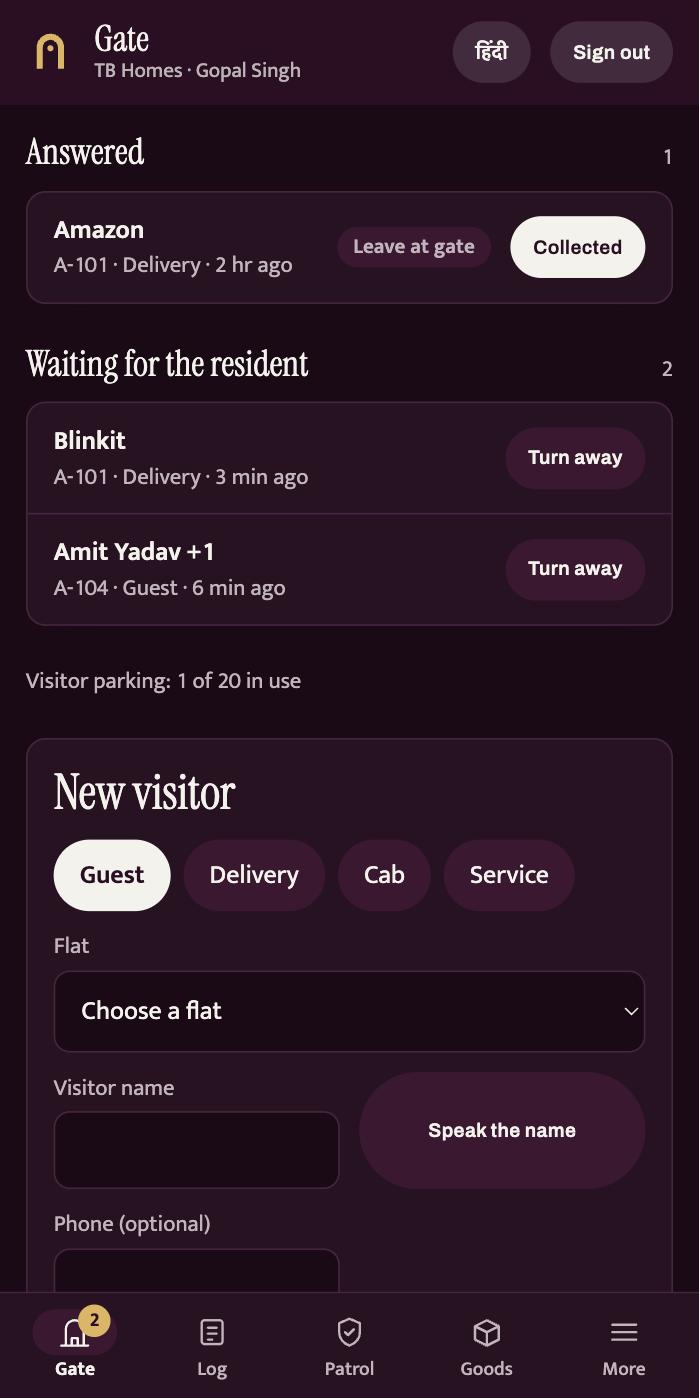
The guard's screen in Gate, with visitors waiting for a resident's answer
  • Log a visitor in a few taps, or speak the name
  • Check entry codes, daily help and vendor passes
  • Keep working when the signal drops: entries go through once it returns
  • Record patrol rounds at each checkpoint, in Hindi or English
See it for yourself: open the demo as a guard

The society office

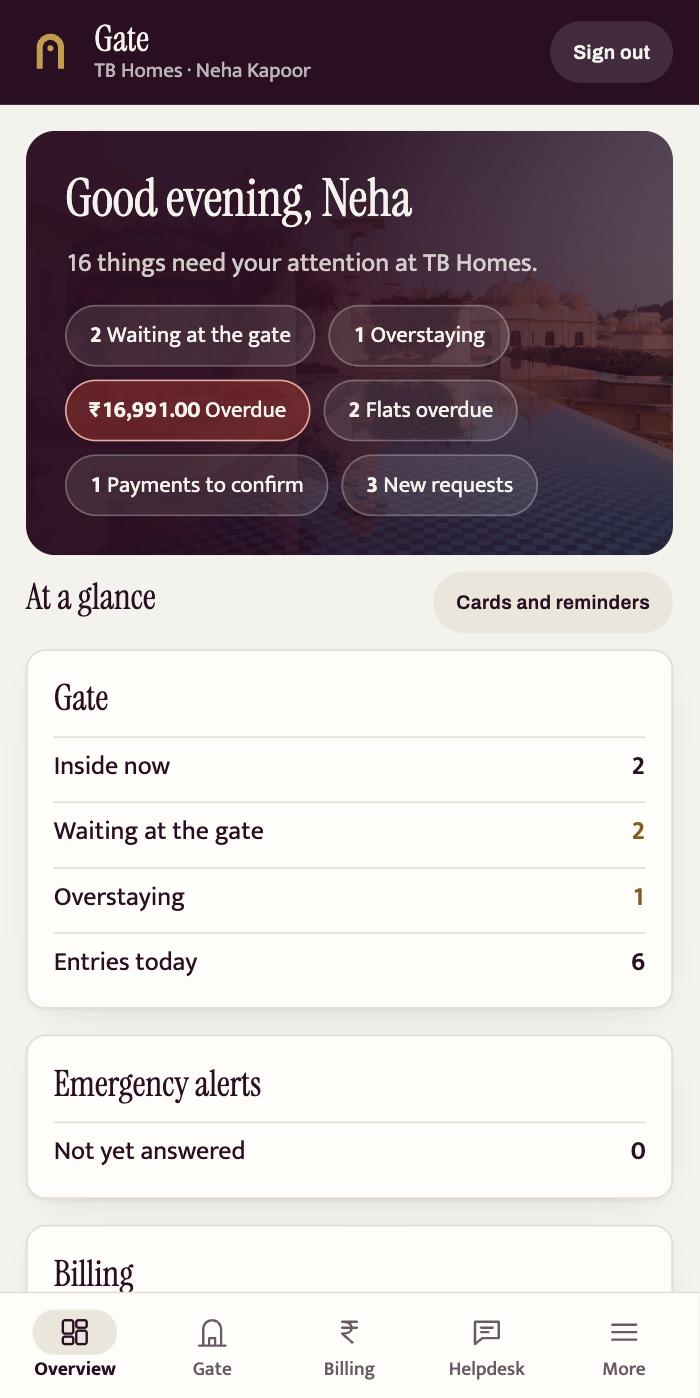
The office overview in Gate, listing what needs attention at TB Homes
  • See what needs attention the moment you open it
  • Run bills, receipts and the accounts in one place
  • Give the accountant or an auditor only what they need
  • Switch off any module the society doesn't use
See it for yourself: open the demo as the office

The whole office

Money

Bills and dues for a home in Gate
  • Monthly bills with GST, late fees and interest
  • Receipts, advances and security deposits
  • Double-entry books that follow every bill and payment
  • Trial balance, income and expense, balance sheet
  • Bank reconciliation, and export to Tally

Helpdesk

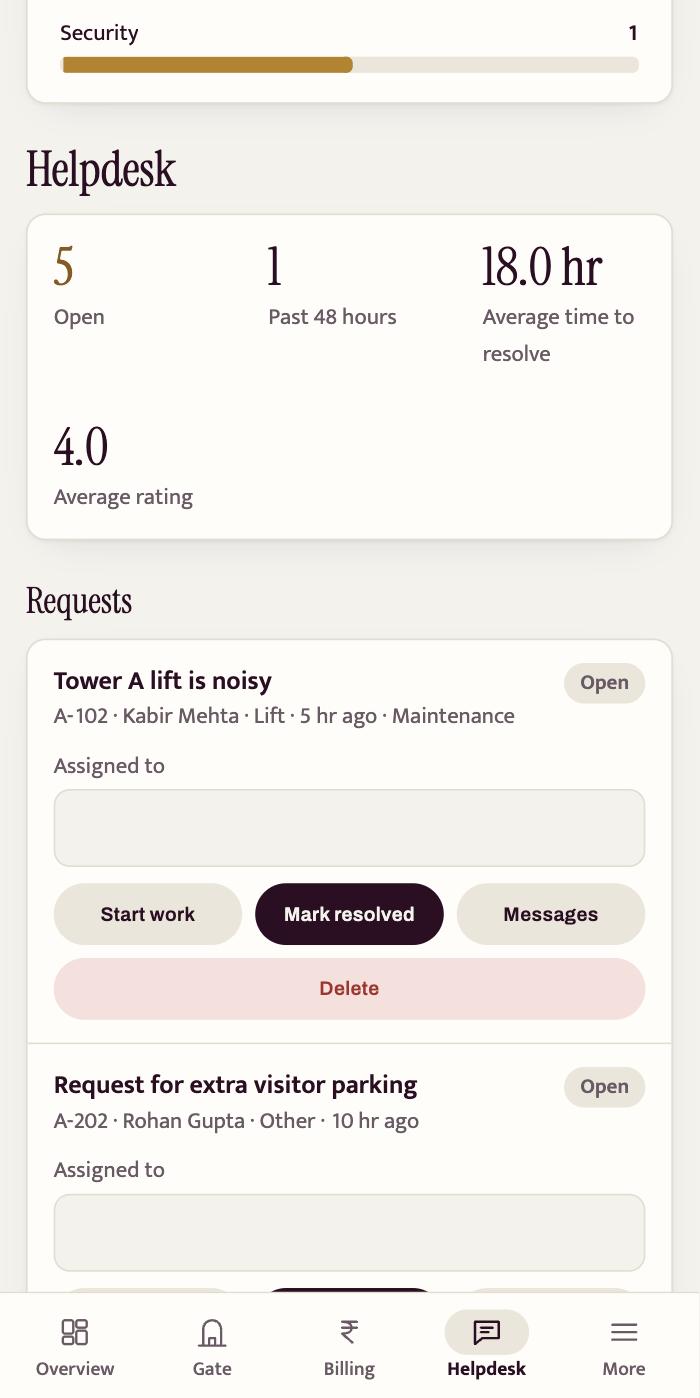
Resident requests in Gate, each with its home, category and status
  • Requests routed to the right department
  • Assignment by who's on duty and least busy
  • Messages on each request, and a rating at the end
  • Escalation when one stays open too long

Amenities

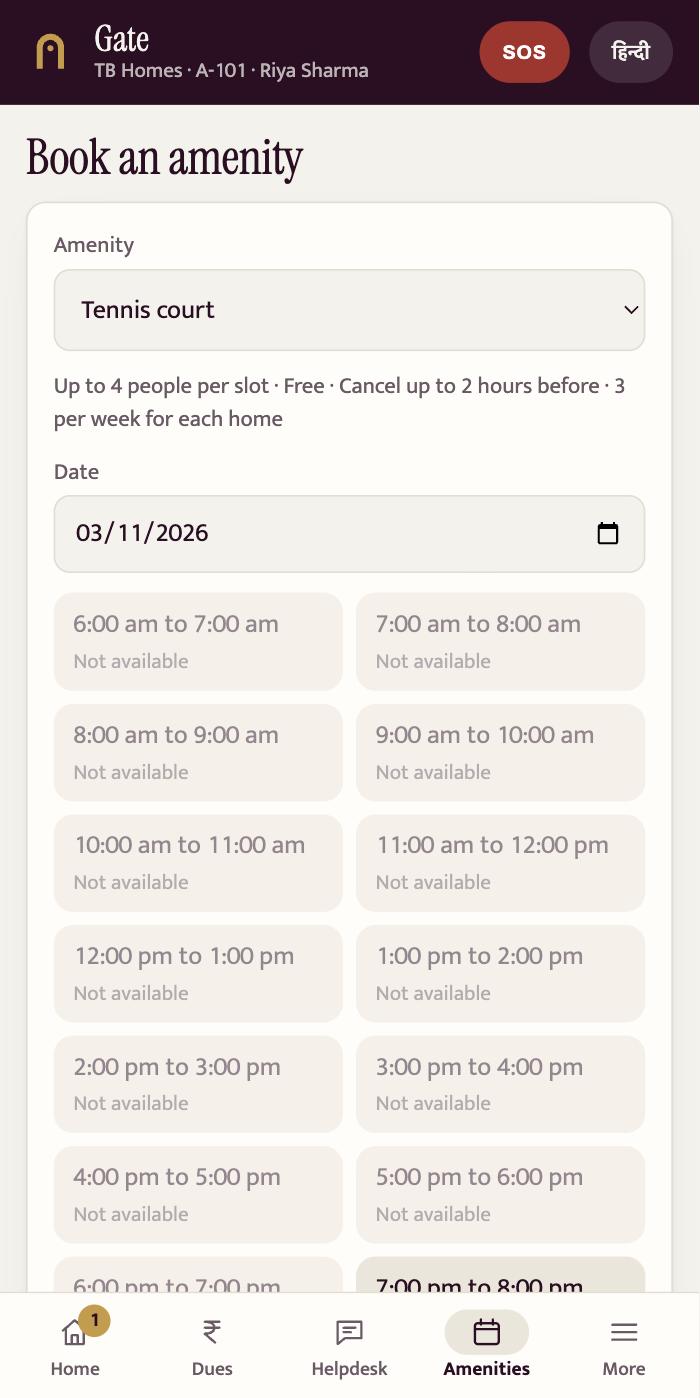
Booking the tennis court in Gate, with its available slots
  • Slots, capacity and weekly limits
  • Fees, with weekend prices and add-ons
  • Office approval where it's needed
  • Closures for cleaning or holidays

Assets and buying

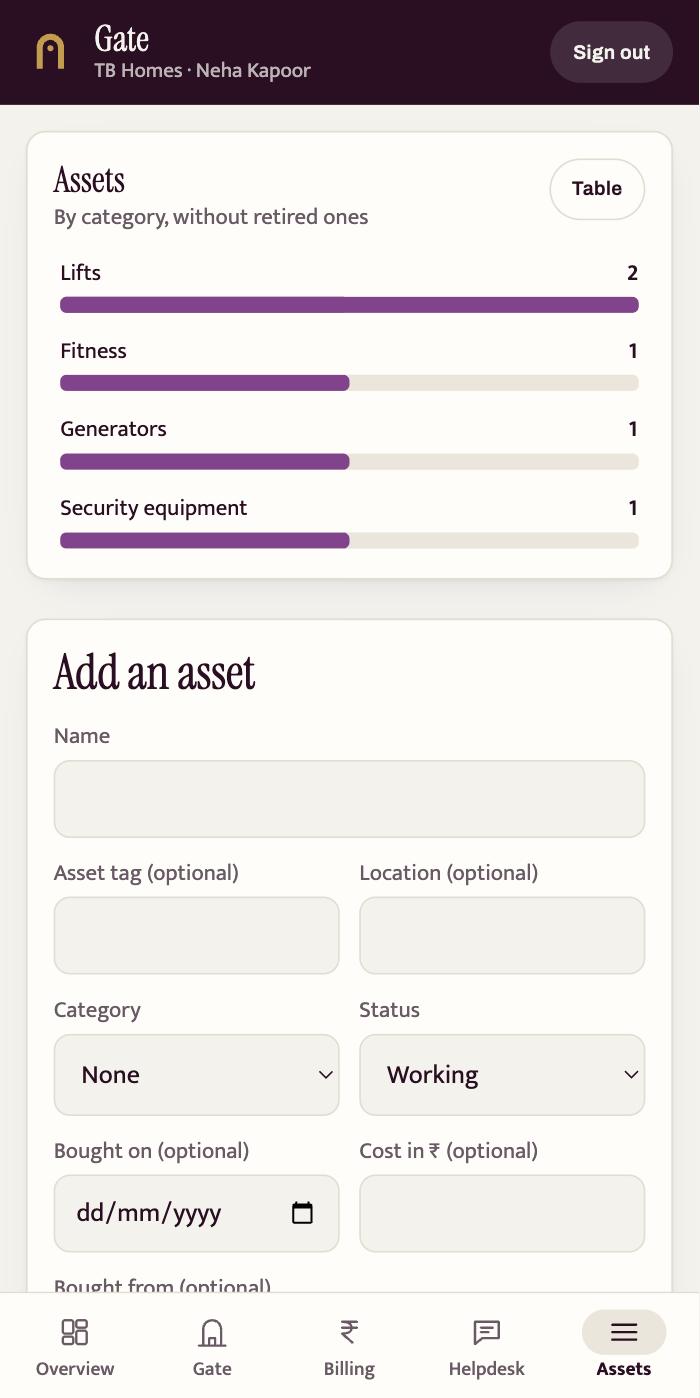
The asset register in Gate, with lifts and a generator and their contracts
  • Asset register, with contract end dates
  • Stock with reorder levels
  • Purchase requests, orders and delivery
  • A second approval above an amount you set
  • Society staff attendance and salaries

24 modules, each one optional

  • Visitors and gate
  • Daily help
  • Vehicles and parking
  • Material gate passes
  • Guard patrolling
  • Emergency alerts
  • Billing and payments
  • Helpdesk
  • Amenity booking
  • Notices
  • Polls and surveys
  • Meetings and tasks
  • Documents
  • Group email
  • Purchasing and expenses
  • Assets
  • Inventory
  • Move-in and move-out
  • Neighbour directory
  • Service providers
  • Pet directory
  • Community feed
  • Chat and calls
  • Marketplace

Questions people ask

Do residents have to install anything? No. Gate opens in the phone's browser and can be added to the home screen. Apps for iPhone, iPad, Mac and Android are on the way.

How do people sign in? Residents and guards use a code sent to their mobile number. The office can use an email and password.

What if the signal at the gate drops? The guard's screen keeps taking entries, and they go through once the connection returns, without creating duplicates.

Can neighbours see my number? Not unless you choose. You stay out of the directory until you opt in, and a neighbour can ask to share numbers, which you can decline.

Can we use only some of it? Yes. Each module is switched on or off for the society, and switching one off hides it without deleting anything.

Can a committee member see only part of it? Yes. There are ready roles for a manager, an accountant, a helpdesk manager, an auditor and view-only access, and you can make your own.

Can we bring our existing accounts? Yes. Opening balances and arrears can be entered, so the books start from where yours are today.

What happens to personal data? A society chooses how long visitor details are kept. A resident can download their data and ask for it to be removed, and the office decides what must stay by law.

How does a resident join? Sign up with your mobile number, find your society and ask for your home. Your society's office approves it, or the home's owner for family members. Owners can also add their family directly. You can hold more than one home, in the same society or another.

How do we start? Register your society. TRUEBUILD Realty reviews it, and once it's approved you can sign in and add your homes and people.

Bring your society in

Start with its name and city. TRUEBUILD Realty reviews each registration before it goes live.

Or look around TB Homes first
Register your society